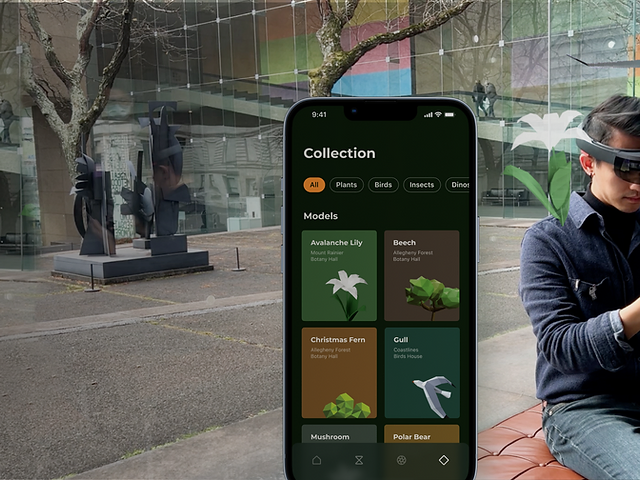


Teammate
Greg Chen, Youngryun Cho, Wei-Chieh Wang
While at
Carnegie Mellon University
Supervisor
Dina El-Zanfaly, Kyuha Shim
Time
Oct to Dec 2021
Duration: 5 weeks
BEYOND
A mixed-reality museum experience rooted in interactive experiential learning and participatory social interactions.

01
INTRO

CONTEXT
Today, many museums are also facing the challenge of transitioning from rigid institutions to experiential and flexible spaces. Museums are turning to virtual reality, apps, and interactive experiences to keep tech-savvy visitors engaged.
The Carnegie Museum of Natural History (CMNH), in 2029 is interested to have new ways for the visitors to experience the information in the exhibits in an interactive way and to emphasize the Anthropocene lens throughout the journey.
MY ROLE
Put together the team
Conducted research and ideation with teammates
Led the multisensory interaction design
Prototyped all the MR interactions
02
PROBLEM SPACE
How might we provide engaging learning experiences in the Carnegie Museum of Natural History and enable visitors to advocate for a sustainable future?
03
OUTCOME
Beyond is a mixed-reality museum experience rooted in interactive experiential learning and participatory social interactions.
Proof of concept video
Prototype
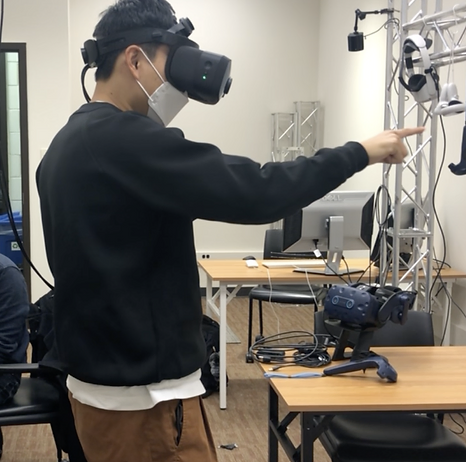
We built mobile app and mixed reality prototypes to test the experiences and interactions.
Mobile app prototype
Mixed-reality headset Varjo-XR3 prototype
DESIGN
Experience Roadmap
01
Navigate
Guide visitors to various exhibition halls.
02
Experience
Provide immersive experience of exhibitions.
03
Learn
Browse exhibits and obtain information through experiential learning.
04
Collect
Add exhibits of interest into pocket and take home.
05
Share
Share stories with friends and inspire new visitors.

Get inspirations
Discover what people encountered in the museum that you might never have imagined.
EXPERIENCE
Get the way to galleries
Lightweight augmented visuals guide visitors to the galleries they want to visit.
NAVIGATE
Grab any item you like
Choose and drag the exhibit you want to learn about in the diorama.
EXPERIENCE
Browse information more intuitively
Manipulate the exhibit freely with your hands to learn the details in a more intuitive way.
LEARN
Learn like playing a game
Learn deeper stories behind the scenes and collect exhibits as rewards.
LEARN
Collect items
Drag exhibits of interest onto the AR watch to collect.
COLLECT
Take your learnings with you
View all exhibits collected in the museum on your mobile phone.
COLLECT
Create your own AR filters
Turn your collections to AR filters and share with your friends on Instagram & TikTok.
SHARE

Have fun and share
Share your stories with other people and inspire new visitors through the AR filters you created.
SHARE
DESIGN
User Journey
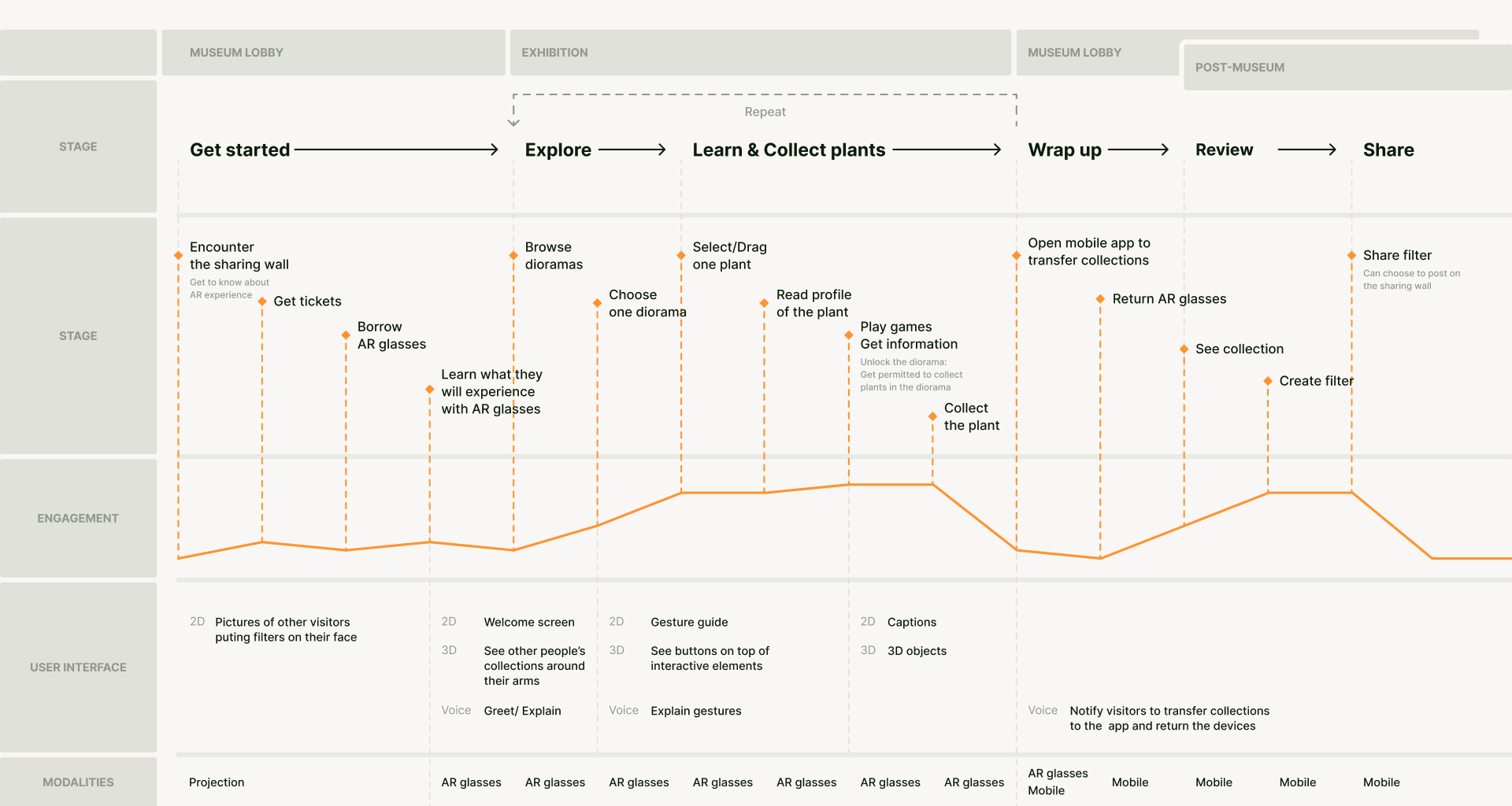
User journey map. Click to view it full size.
04
DESIGN PROCESS
From observing visitors on the museum floor to prototyping in mixed reality.
RESEARCH
On-site Observation
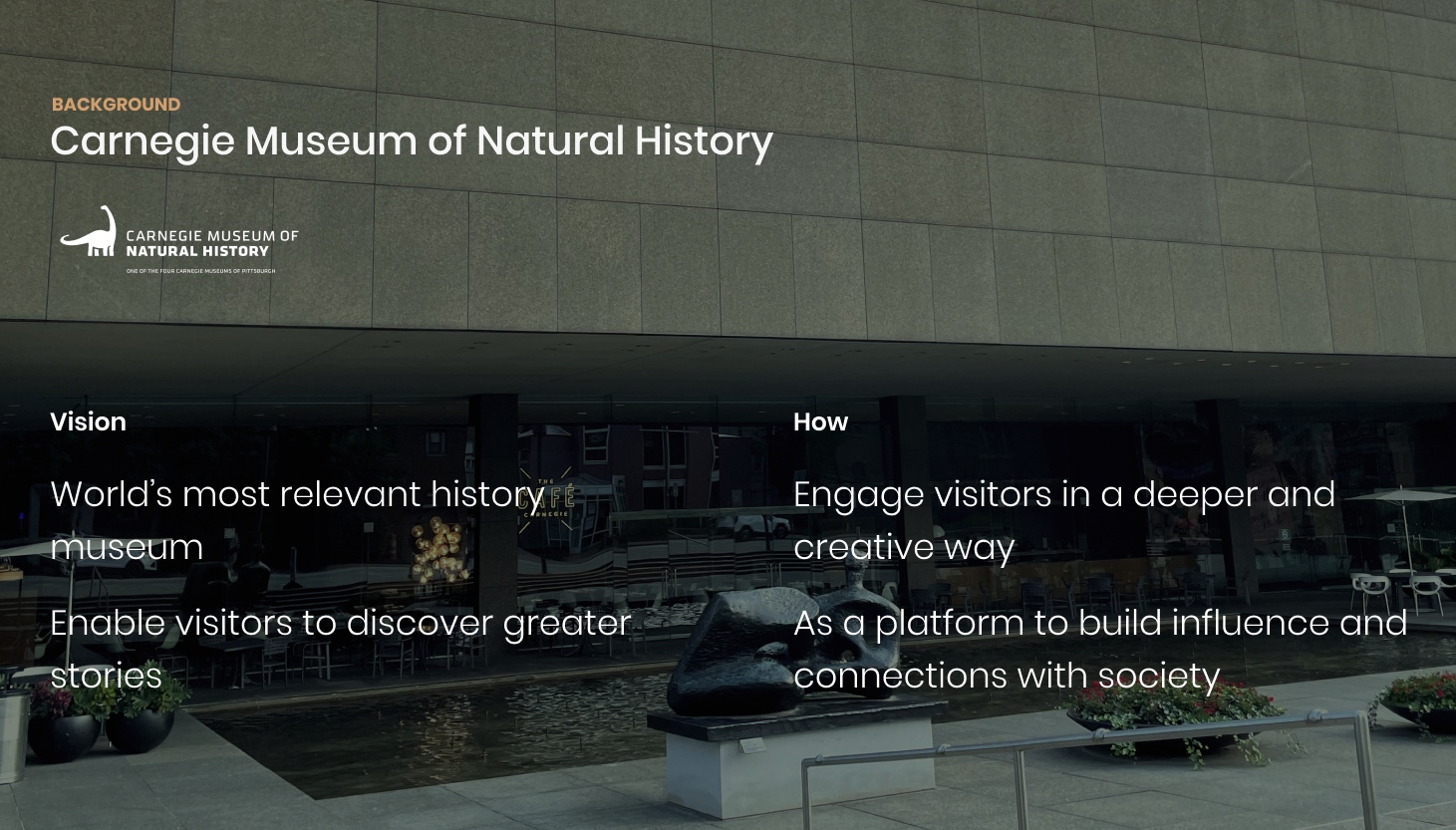
We visited CMNH several times to find out pain points from the visitors' perspective, observe visitors, and study how dioramas in the galleries were communicating deeper information.
Insights
Through our visits, we found the following general pain points for visitors:
Need Navigation
Visitors easily get lost in the museum and often cannot find their way to the gallery they want to visit.
Lack of Interactivity
Museum experience is passive, and lacks interactions with visitors. It makes it hard for visitors to engage in and learn from the museum experience.
Weak Post-Museum Experience
Museum can't offer further exploration beyond the scientific information after leaving the museum.
Lack of Ways to Share Thoughts
Museum curators want to allow people to express their feelings, ask questions, make their own opinions, have conversations even from political, social perspective.
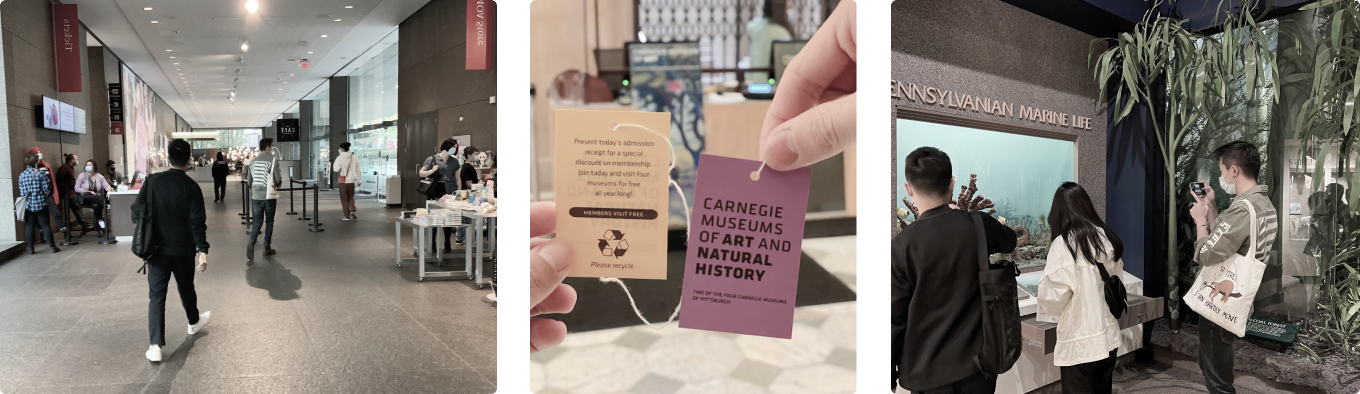
Speaking with Nicole Heller, Associate Curator of Anthropocene Studies for Carnegie Museum of Natural History.
Inviting visitors beyond the first floor
How might we help or trigger visitors to explore the museum's massive collections?
Adding little touches rather than reinventing
Instead of renovating the whole exhibition hall, adding up-to-date scientific discoveries would be quicker and easier.
Highlighting the interdependent relationship between human and nature
It seems irrelevant, but human activity and other species and nature are interdependent.
Fostering communications among people
Exchanging thoughts and feelings would make visitors' experience richer, and help curators learn what influences they are making.
RESEARCH
Meeting with the "Client"
We had the opportunity to speak with Nicole Heller, an associate curator of CMNH. She gave us valuable insights into the current museum experience from a curatorial and exhibition design perspective.
RESEARCH
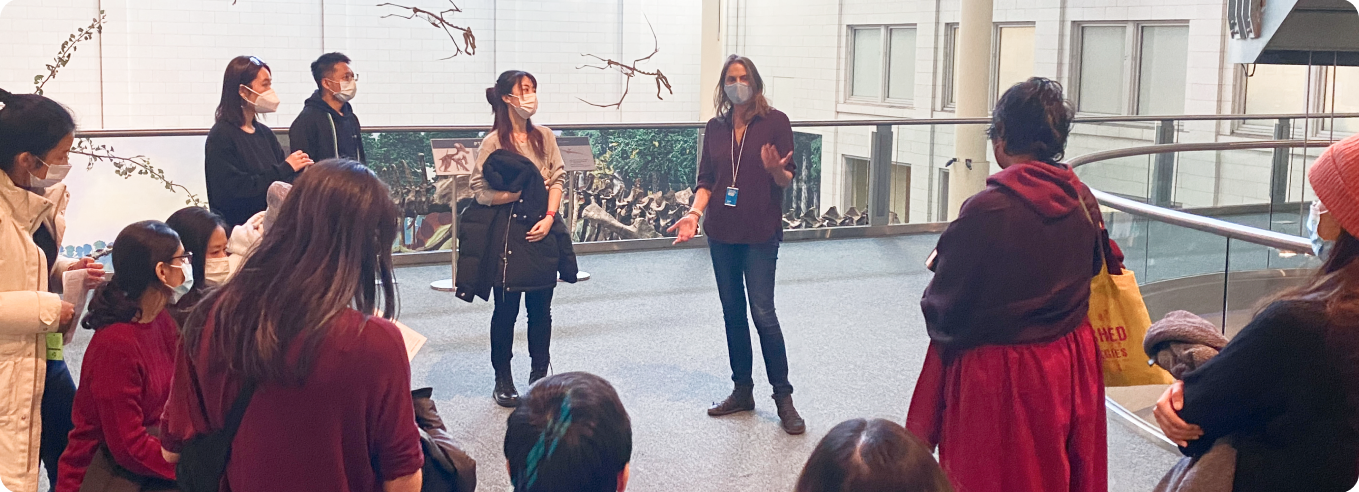
The Hall of Botany
This hall caught our attention as the emphasis on the renovation aligned with the museum's vision and our insights. It demonstrates the interconnectedness of the natural world, which is really important to understand the cascading effect human actions have on natural ecosystems.
This refresh emphasizes the Hall of Botany’s relevance in the context of environmental change and the importance of plants in our daily lives.


Observation & Insights
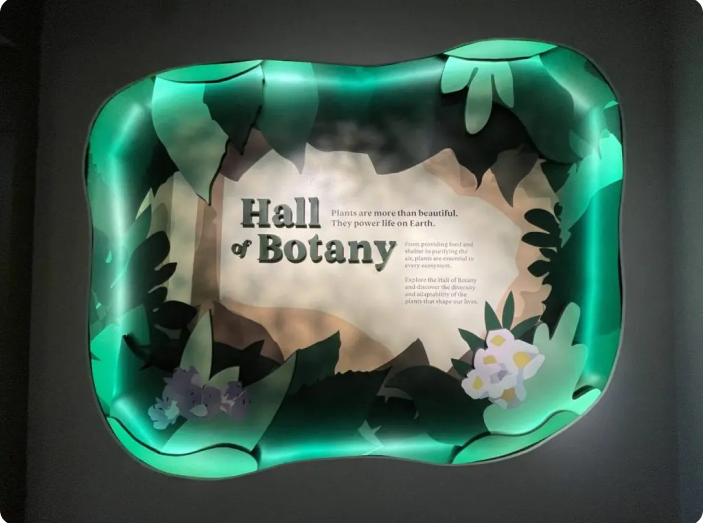
However, we found that the Hall of Botany was one of the most empty halls despite the renovation in May 2021.
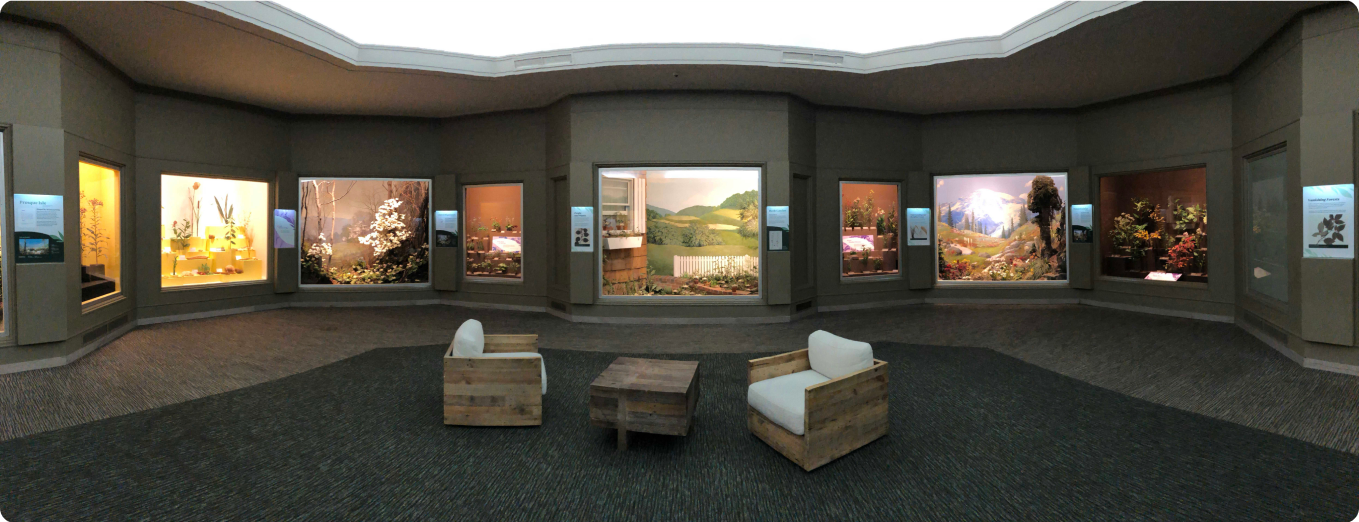
The Hall of Botany — panorama.
So we spent hours in there to learn why people just walk around and head out. After a while, we color-coded each diorama into two categories, PURPLE for the usefulness of plants, and GREEN for the interdependent relationship.
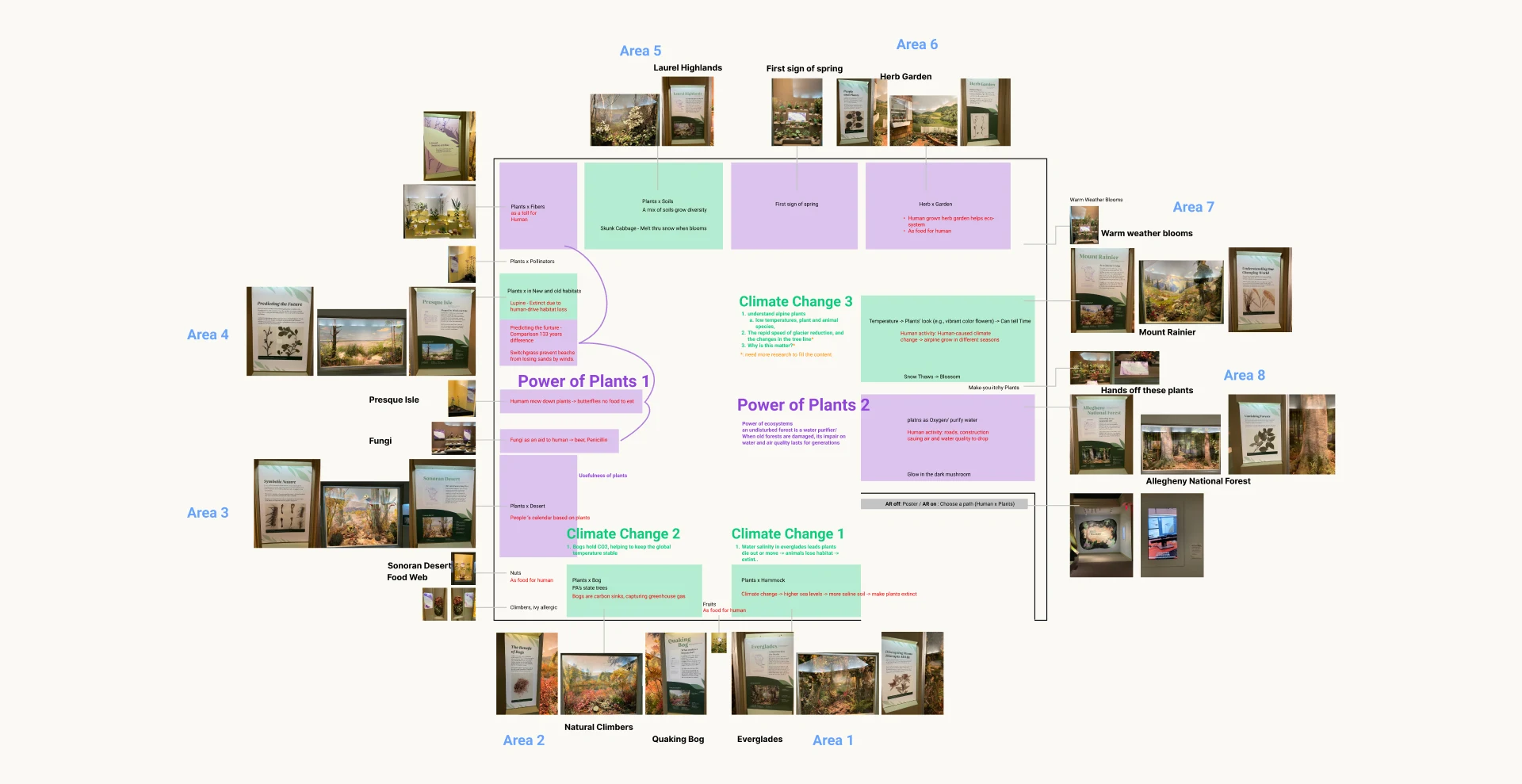
We also found that the information was not well organized and was not well delivered to visitors:
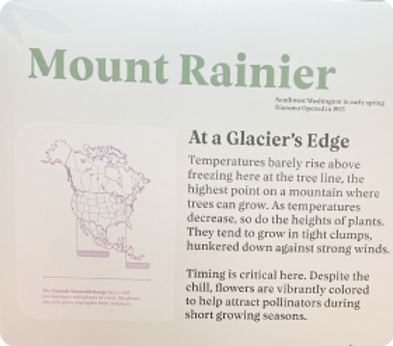
Text is too heavy
It is too long for young people to read topics like climate change.
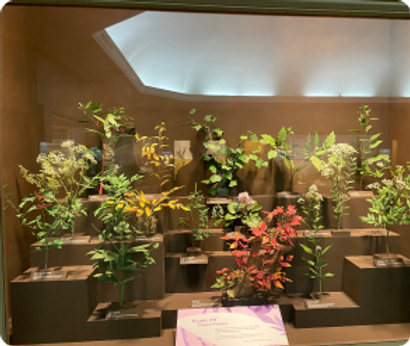
Detached Visual Experience
The diorama and its text narrative are not well connected. Visitors need to switch back and forth.
Unintuitive Information
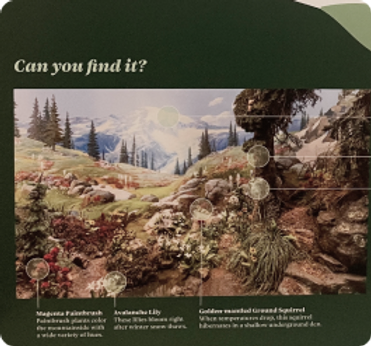
"Can you find it?" games are barely noticeable.
Missing Context
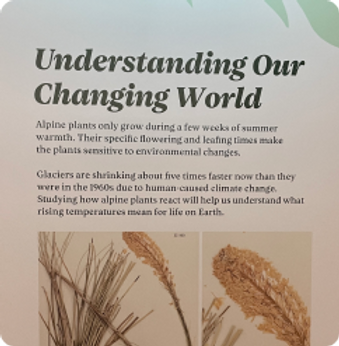
Big topics are lacking context information to be easily understandable.
RESEARCH
Opportunity Area
After speaking with Nicole and a few times of museum visits, we summarized our thoughts and came up with three main questions that we aim to tackle in our project.
01
How might we provide relevant and engaging learning experiences to its visitors?
02
What experiences we can provide to trigger visitors' reflections on themselves and the relationship between humans & nature?
03
How might we create a more memorable experience for museum visitors to share with others?
IDEATION
Design Principles
With our research insights in mind, we developed 6 design principles to help us better define our experience.

Immersive
Make the experience immersive. Actively engage visitors with content, then invite them to express themselves.
Community
Invite community, either online or physical, to advocate a sustainable future.
Multisensory
Recontextualize artifacts with multisensory engagement.
Narrative
Develop a clear, big-picture narrative that ties each exhibit together and showcases human connections to natural history.
Contextualized
Celebrate and augment existing artifacts, rather than create a separate digital experience.

Beyond
Develop a clear, big-picture narrative that ties each exhibit together and showcases human connections to natural history.
IDEATION
Concept Generation
We then started generating rough concept ideas around our principles, framework, and technology.
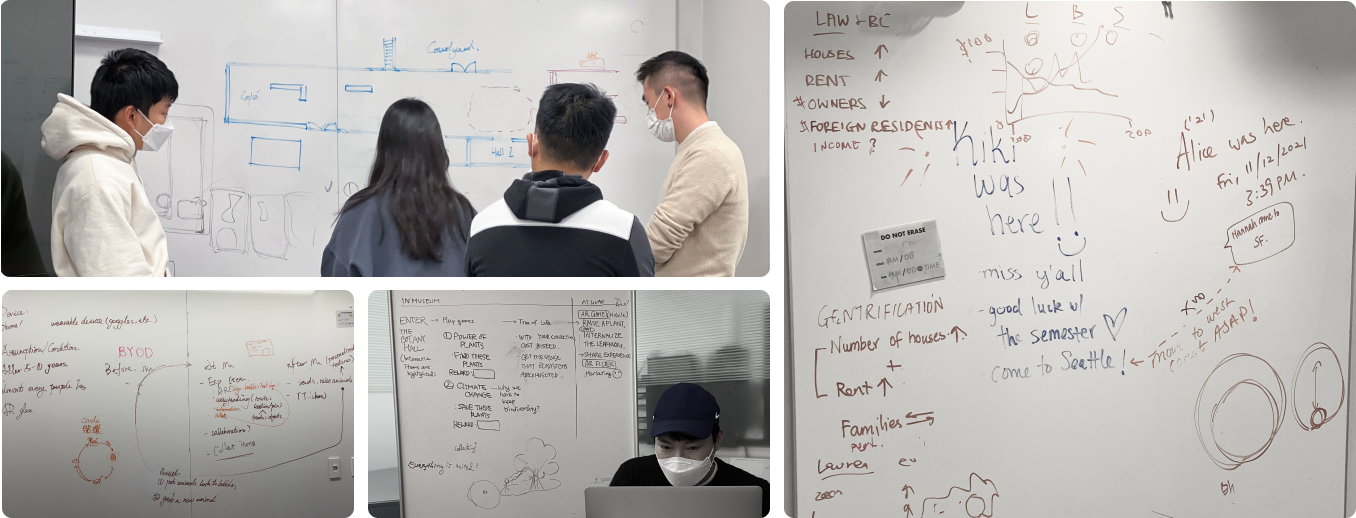
Observation & Insights
Further narrowing down, we developed 4 key stages in the visiting experience that reflect our design principles: Wayfinding, Information browsing, Experiential learning, and Social interaction.

Wayfinding

Information Browsing

Experiential Learning

Social Interaction
IDEATION
Technology Exploration
We discussed leveraging AR smart glass technology. Smart glasses have the ability to create a more immersive, multi-sensory experience while still allowing users to navigate through space.
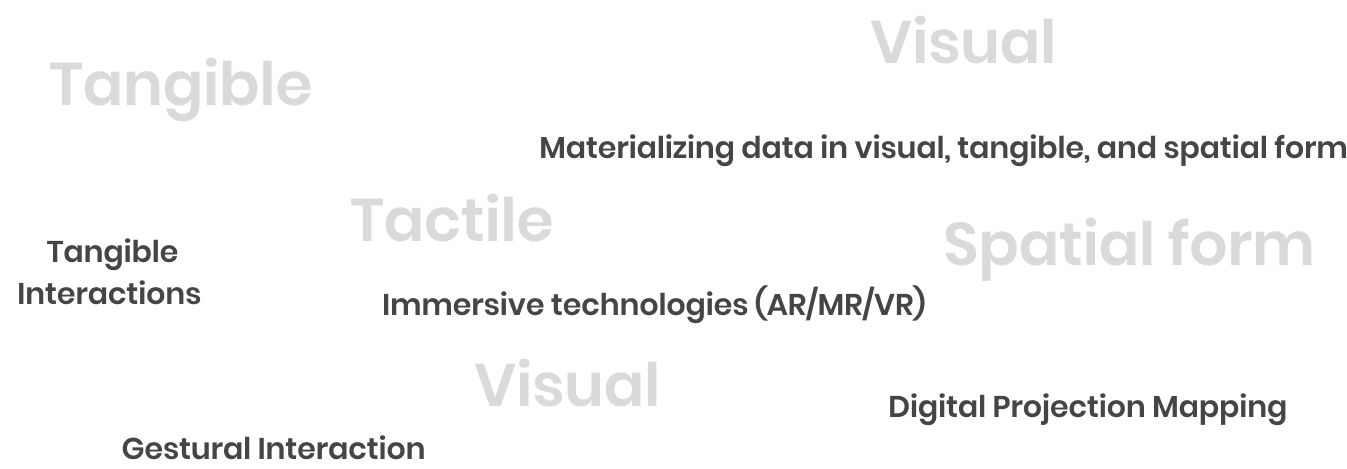
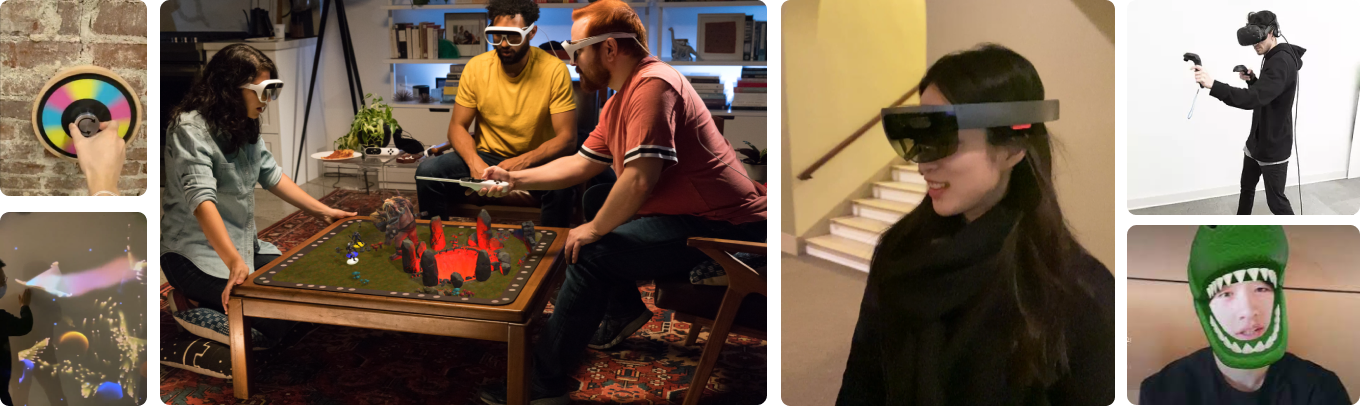
Why Mixed Reality
After the technology research, we decided to leverage mixed reality technology, which has the ability to create a more immersive, multi-sensory experience while still allowing users to navigate through space.
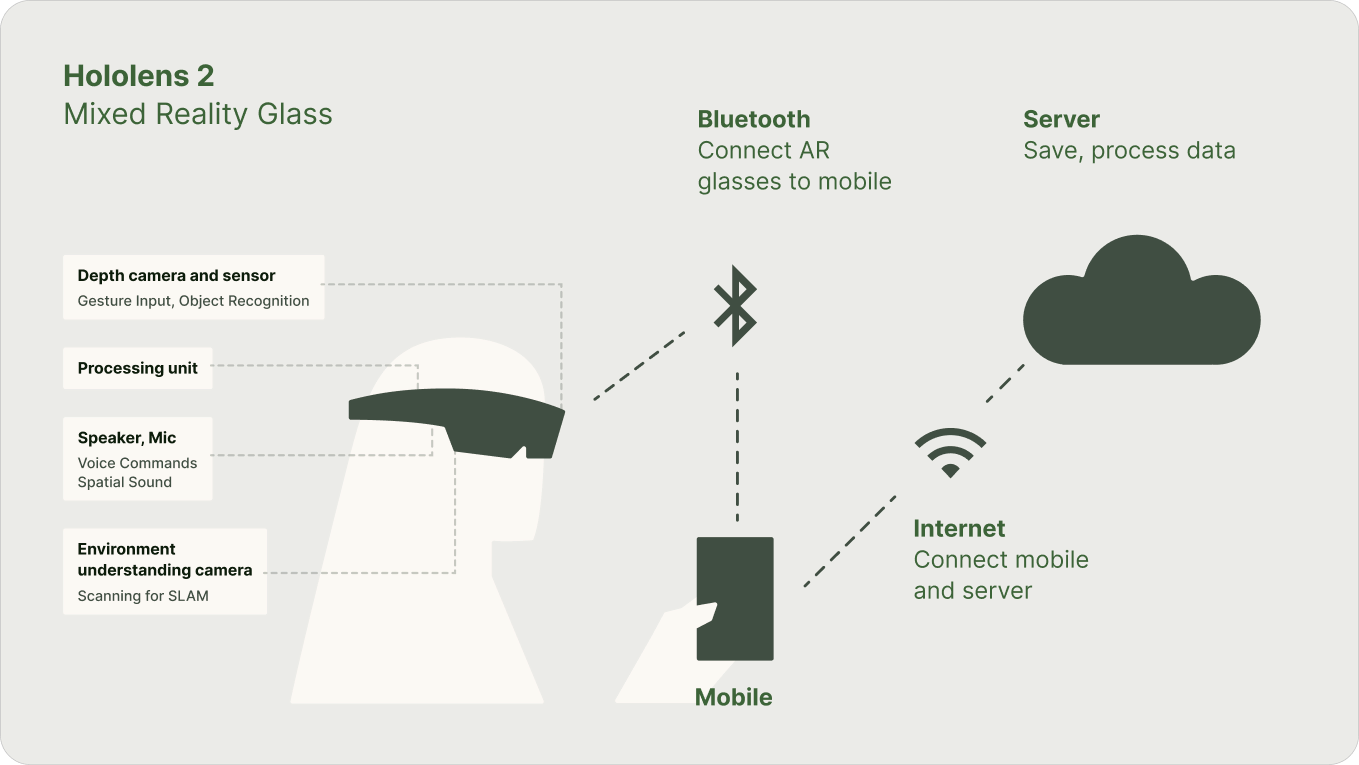
Technology system diagram
DESIGN DEVELOPMENT
User Journey Storyboard
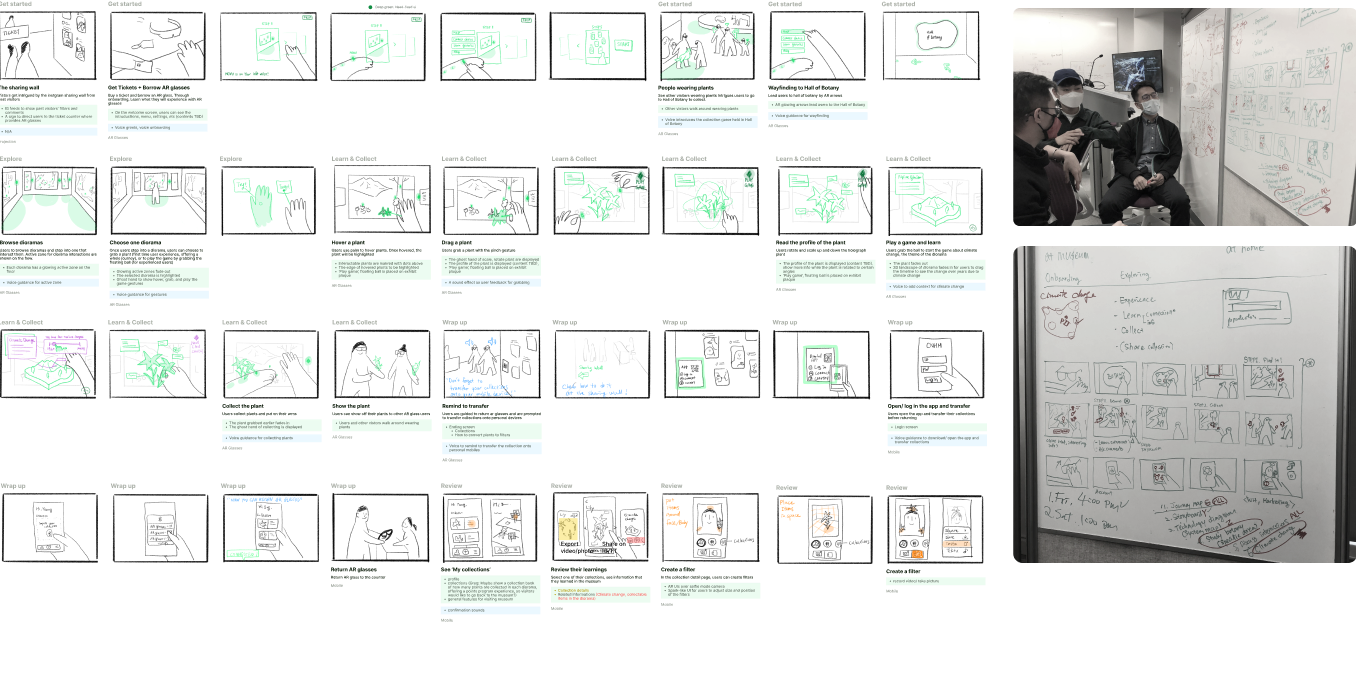
As a starting point, we sketched the user journey and interactions in storyboards. This process helped us imagine not only how users interact with virtual objects, but also about onboarding, signage, systems, customer services, and technologies.
DESIGN
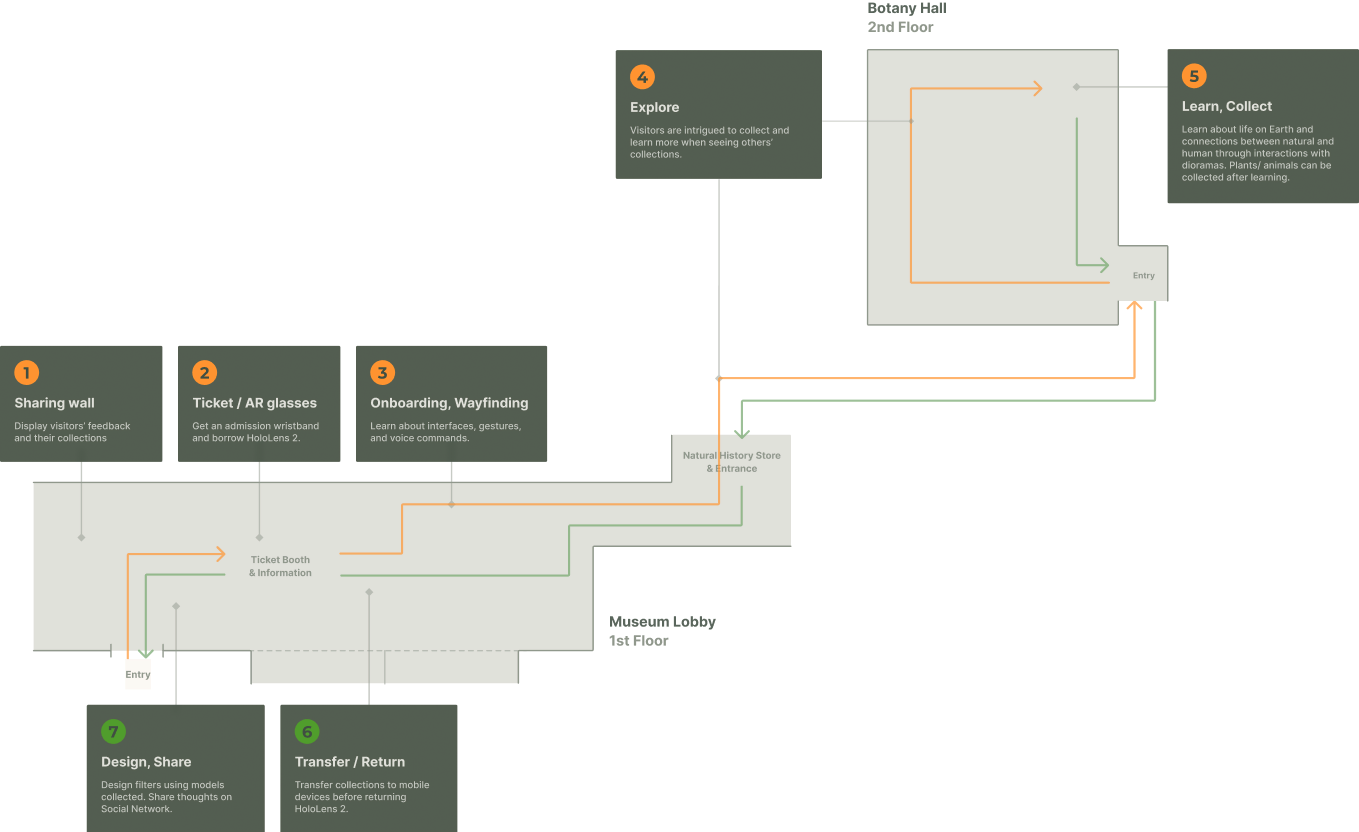
Journey Map
The next step was contextualizing our idea in the Carnegie Museum of Natural History. We designated spots for each step of the journey based on the museum's map.
DESIGN DEVELOPMENT
Touchpoints & Features
After several rounds of refining the visiting experience and storyboarding, we came up with the technology touchpoints and features for the visiting experience:
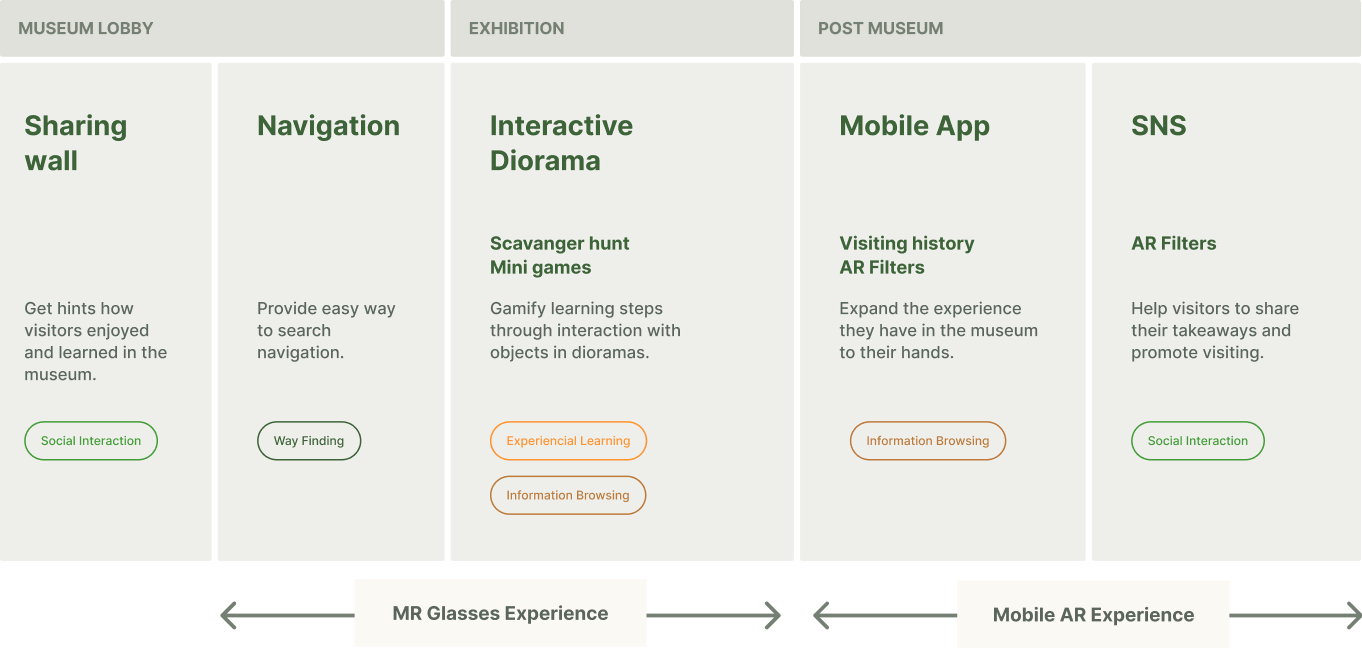
DESIGN DEVELOPMENT
Brand Design & Visual Styles
We took the natural green of plants from the botany hall to be the primary color, supplemented by bright and warm orange as the accent color.
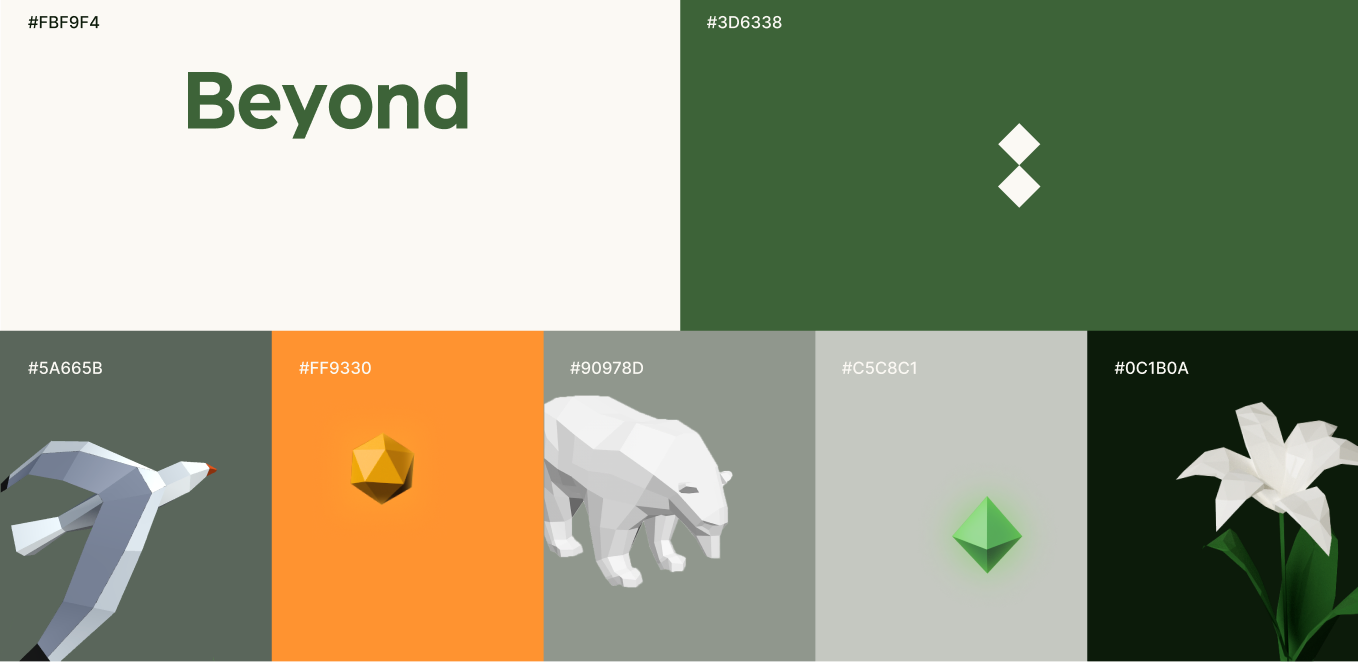
3D assets are low poly style, which is related to our theme - beyond and connection. We chose the diamond shape as the main visual element.
INTERACTION DESIGN
Multisensory Interactions
Wearable Interface
How can we leverage body-anchored interfaces to create convenience while not obtrusive?
Voice Assistant
How does a digital system interact with voice input to reflect status and reduce users' confusion?
Hand Gesture Interaction
What gesture can be leveraged to make interactions natural and experience more interesting?
INTERACTION DESIGN
Wrist UI
We redesigned the admission ticket in the form of wristband, which is more convenient to carry. It can also be used as the anchor point of the wearable interface.
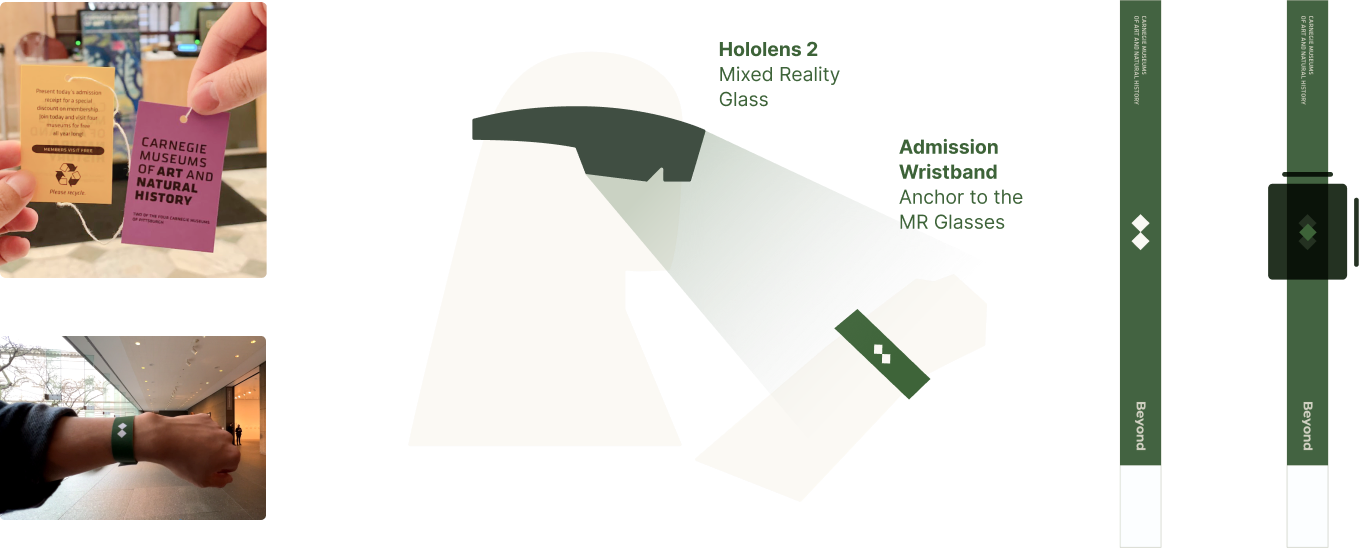
Current admission ticket of CMNH.
Redesigned wristband ticket.
Voice Assistant - Motion & Status
Default
Listening
Speaking
The right panel is automatically expanded to display functionalities, users can tap on UI buttons or make voice commands.
Waiting for Collection
When the user is pinching items to collect, display the vacant spot to indicate where items should be put.
When the user is speaking, all panels are collapsed, animated voice UI indicates that the system is listening.
When the system is asking questions or giving answers.
Item Collected
When the user releases items above the vacant spot, it is filled with a diamond, the top panel is then expanded to display all collections. The user can tap on collections to put them to different spots of the body for other visitors to see through their MR glasses.
INTERACTION DESIGN
Hand Gesture Interactions
While wearing MR glasses, hands naturally serve as the pointing device in 3D environment. Therefore, we need to redesign the functionalities of standard pointing devices, such as pointing, clicking, dragging, etc.
Based on our storyboard, we summarized the following functions that require hand gestures interactions:
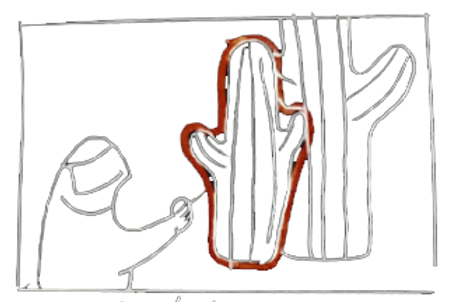
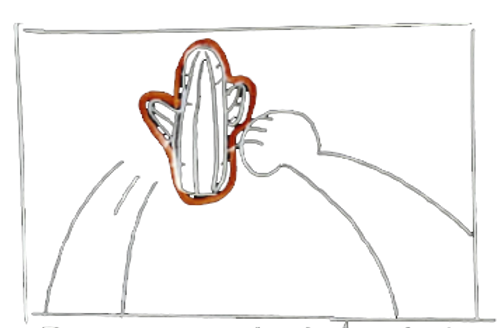
Point
at exhibits
Summon
exhibits over from diorama
Manipulation
Rotate/Translate/Scale
Collect
exhibits
Interaction Design Principles
Learnability
Interactions should be easy enough for users to understand and pick up by tapping into natural affordances.
Avoid massive arm movements
Just as the emergence of the mouse replaces the lightpen that requires keeping an arm in the air for a long time. Gesture interactions should not make users too tired, so I try to use micro gestures when designing.
Consistency and standards
Interactions should be consistent and under the same framework to reduce the users' cognitive load.
I. Pointing
Fitts’ law criteria for evaluating a pointing device: Accuracy, Speed.
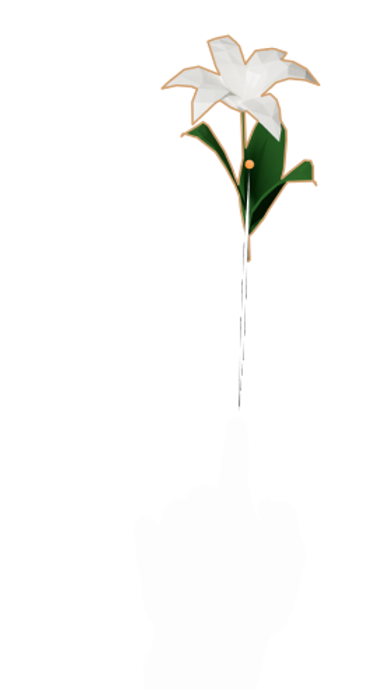
Index finger pointing
After testing in Unity, I found that the accuracy was a big issue as the fingertip was easily blocked by the palm from the perspective of the head-mounted CV module (Leap Motion). In addition, it conflicts with the tap gesture if the ray shoots from the fingertip. So we gave up this method.
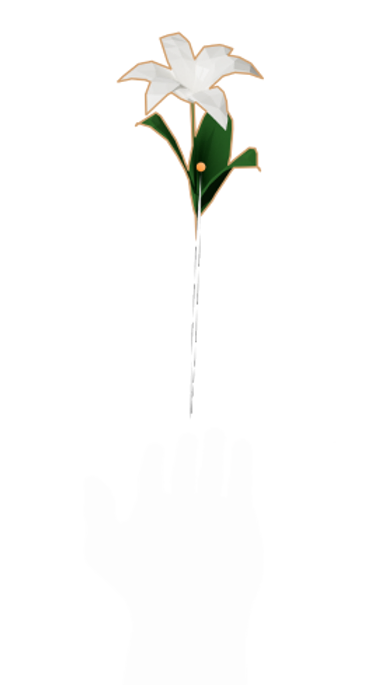
Palm upward pointing
Then I studied this method, but we finally thought that the gesture carries a provocative meaning at the socio-cultural level, or like begging, so we gave up.
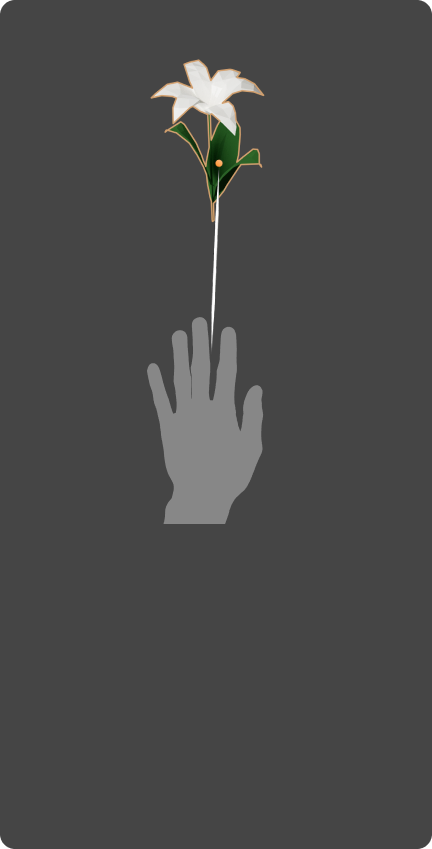
Palm pointing
Finally, I tried to make the ray shoot from the center of the palm. This method meets our needs in accuracy and speed.
II. Summoning

Inspired by the interaction technique "slide to confirm" - the command is activated by continuously pressing from one endpoint to another.
Put the slide bar into 3D space to get a XYZ axis. When the pinch gesture moves a certain distance on the z-axis, the drag function is activated.
III. Manipulation
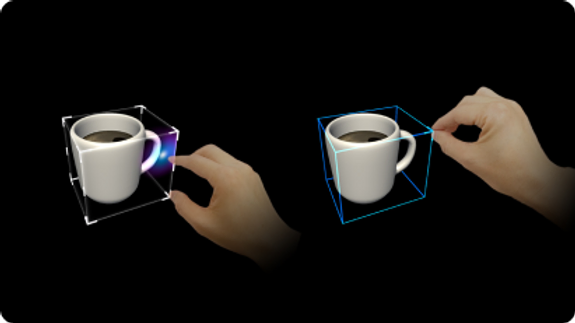
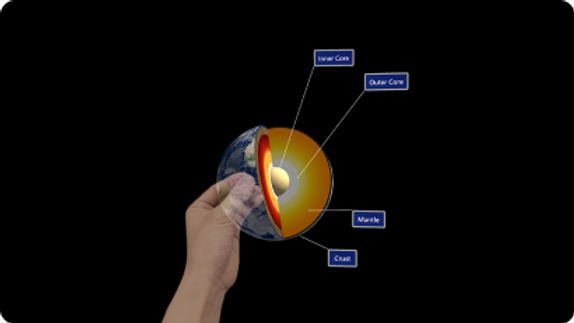
For interactable objects, we referred to MRTK developer documentation to realize object manipulation.
Gesture Chart
Palm hovering
Raise wrist
Pinch and collect
Pinch and drag
DESIGN DEVELOPMENT
3D Interfaces
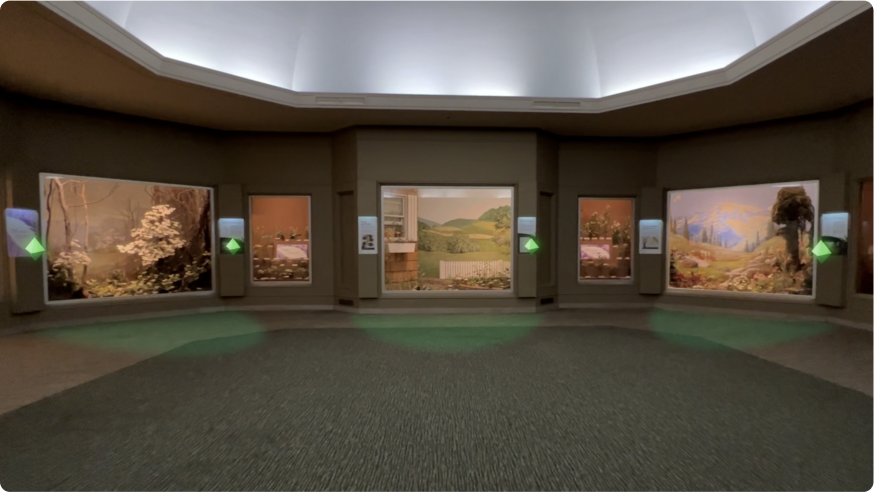
Standing in the activation zone in front of dioramas to start interacting with exhibits. Users can either tap the diamond next to dioramas to directly play the game related to the diorama, or choose an exhibit to learn its information.
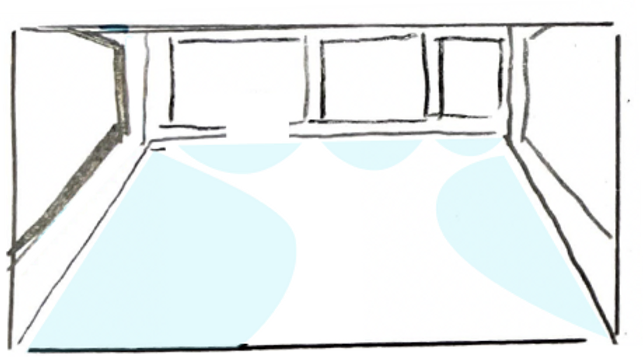
Active Zone Indicator
Show active zone to initiate interactions with dioramas
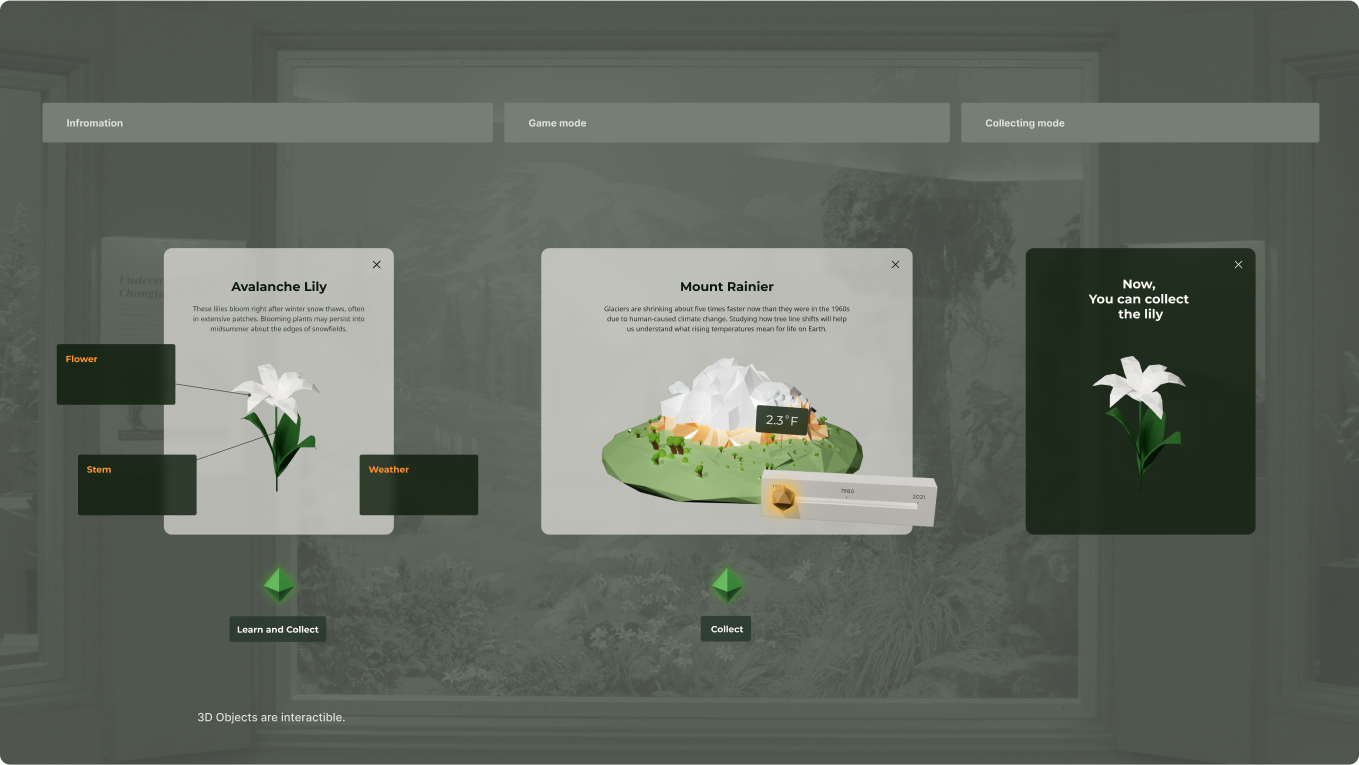
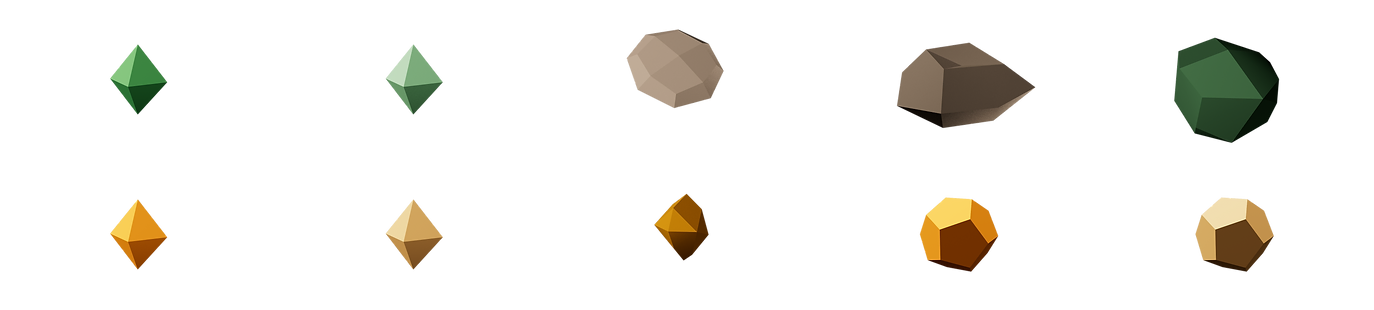
The difficulty here was how to represent button features as 3D objects. Using only colors and shapes was not clear enough. But we didn't want to make buttons look like a screen UI element (rectangular flat button with labels.) So we put labels under the 3D diamond button using the same style as the wrist UI components to look like a label of the button components.
Color/ Shape/ Saturation test for different use and variants.
DESIGN DEVELOPMENT
Mobile App Design
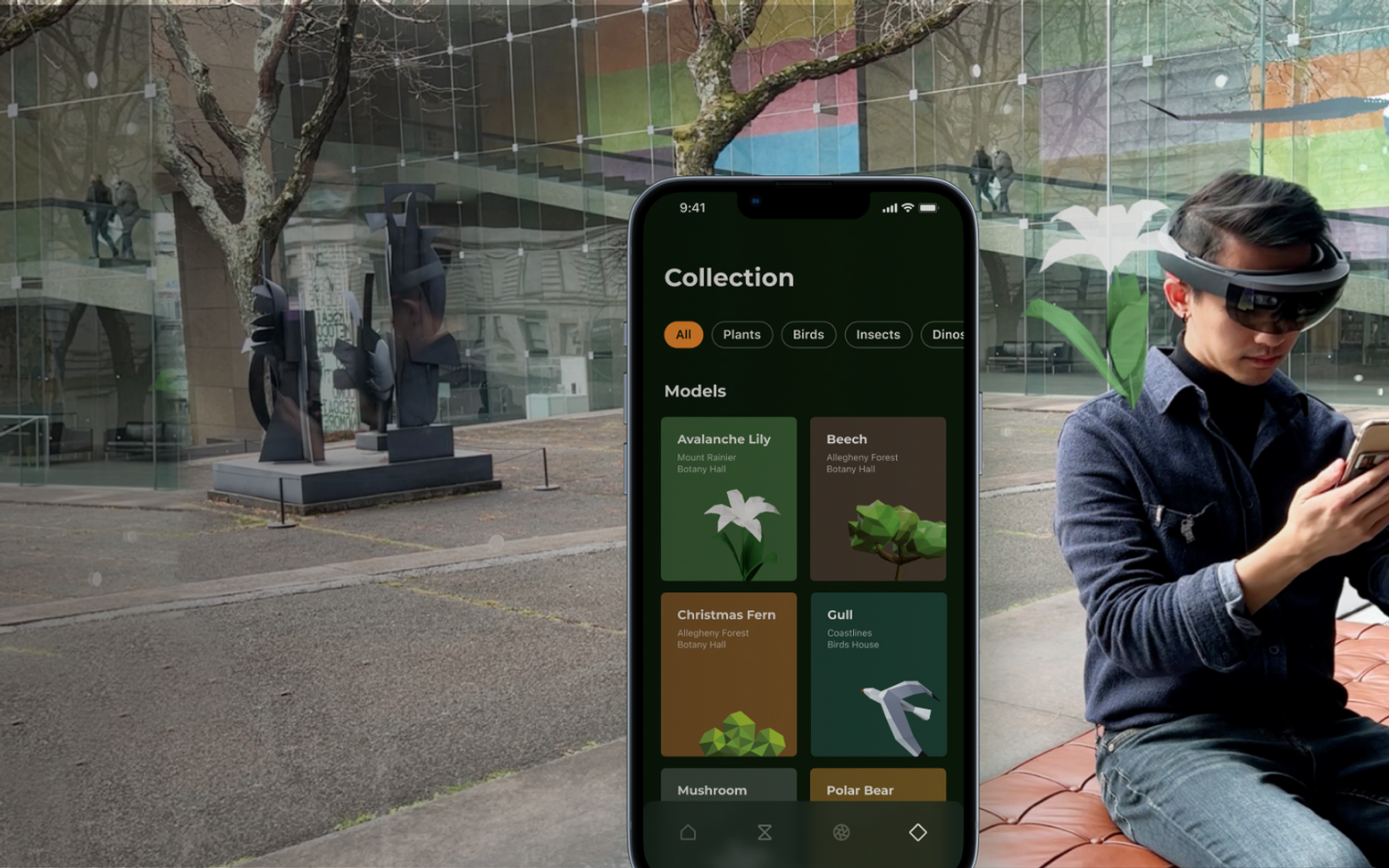
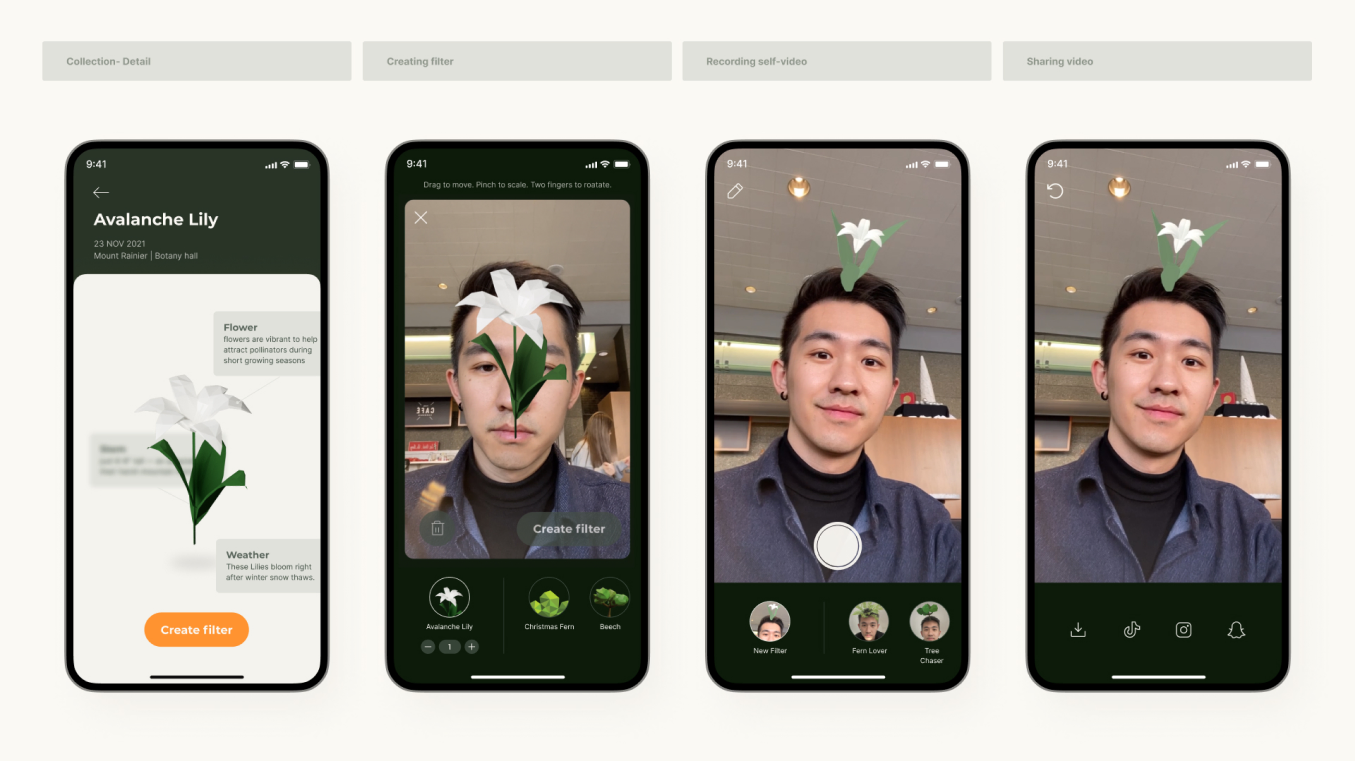
We sorted out key screens of mobile app. Users can see other people's thoughts and filters which are presented on the sharing wall in the museum lobby. We included users' visiting history, collection, and filter tabs.
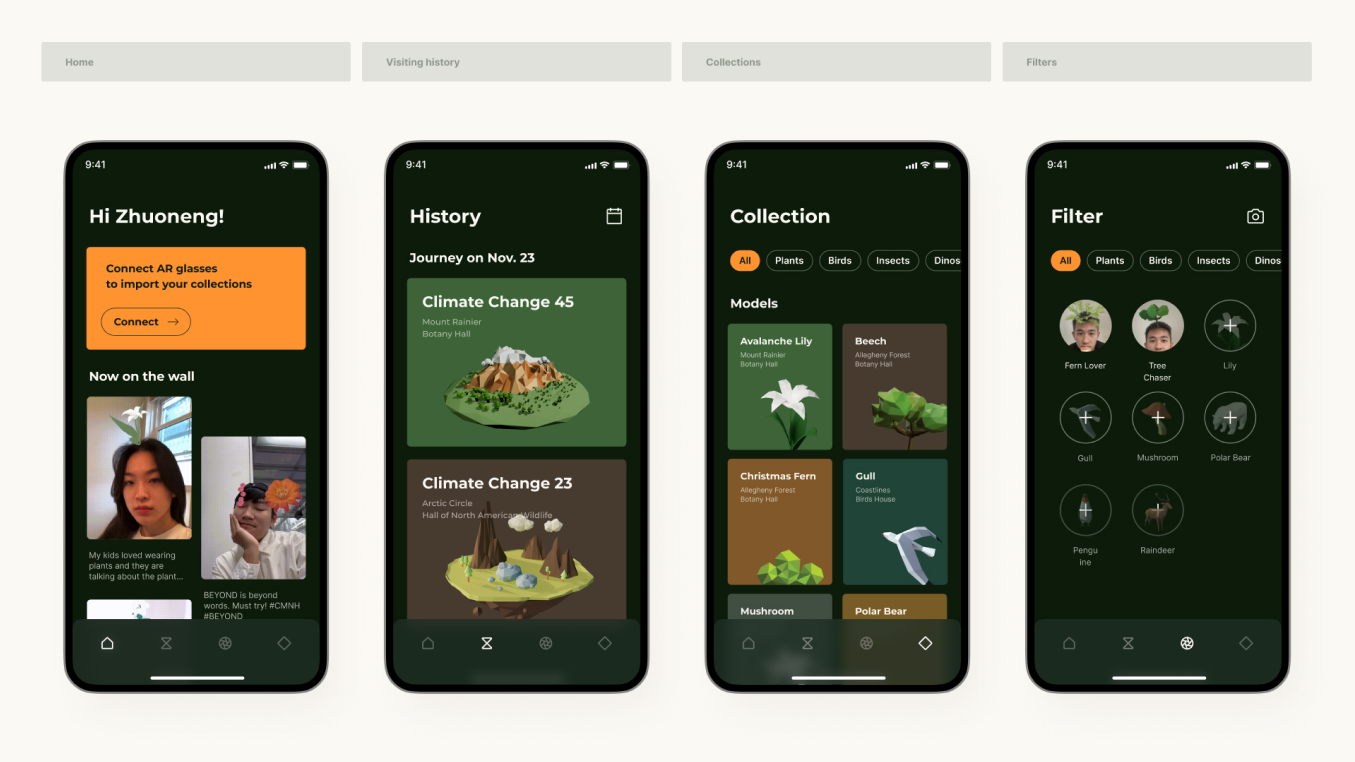
Users can access the information they learned in the museum through history and collection tabs. Also, there are two routes to create AR filters through the collection and filter tabs.
The AR filter creation consists of simple steps: 1. resize, 2. place at a few preset anchor points, 3. record & share.
05
REFLECTION
A successful design came from continuously unblocking the path through iterations.
Along the way, I learned about paradigms, affordances, and signifiers for emerging AR and VR technology (haptic feedback, proximity, gesture control).
In this new and speculative field, research, trial, error, and critique were critical for me to form design decisions and figure out different ways to prototype our ideas. Every fulfilled objective should rightfully generate even more questions, and I doggedly chased those answers through multiple rounds of hypothesis, testing, conclusions, and next steps.
Next Step
01
Technology
Due to the time limit, I tested most of the interactions with a VR headset as the HoloLens 2 development environment was unfriendly for debugging. I wish I could test the usability more on real users.
02
Scalability
The concept can apply to any dioramas in any museum, but we might need more research on how to apply to dioramas of different subjects.
03
Group Experience
Beyond experience is crafted for individuals. However, museums often host group visitors such as field trips, our challenge would be how to provide the same level of engagement to groups.